So i just finished a lab that included integrating the WSA to my Lab Active Directory. One that thats certain is that you must enable NTP for this to work. I tried manually setting the time and even though it was just off by a few seconds, the WSA would not tolerate it and would cancel the integration.
Another important step is to make sure your DNS is correct. Ideally you should use the same DNS server for both the Active Directory (most likely local to this AD server) and for the WSA.
You will find the Integration with AD under: Network -> Authentication
When integrated, the settings for my lab looks like this:
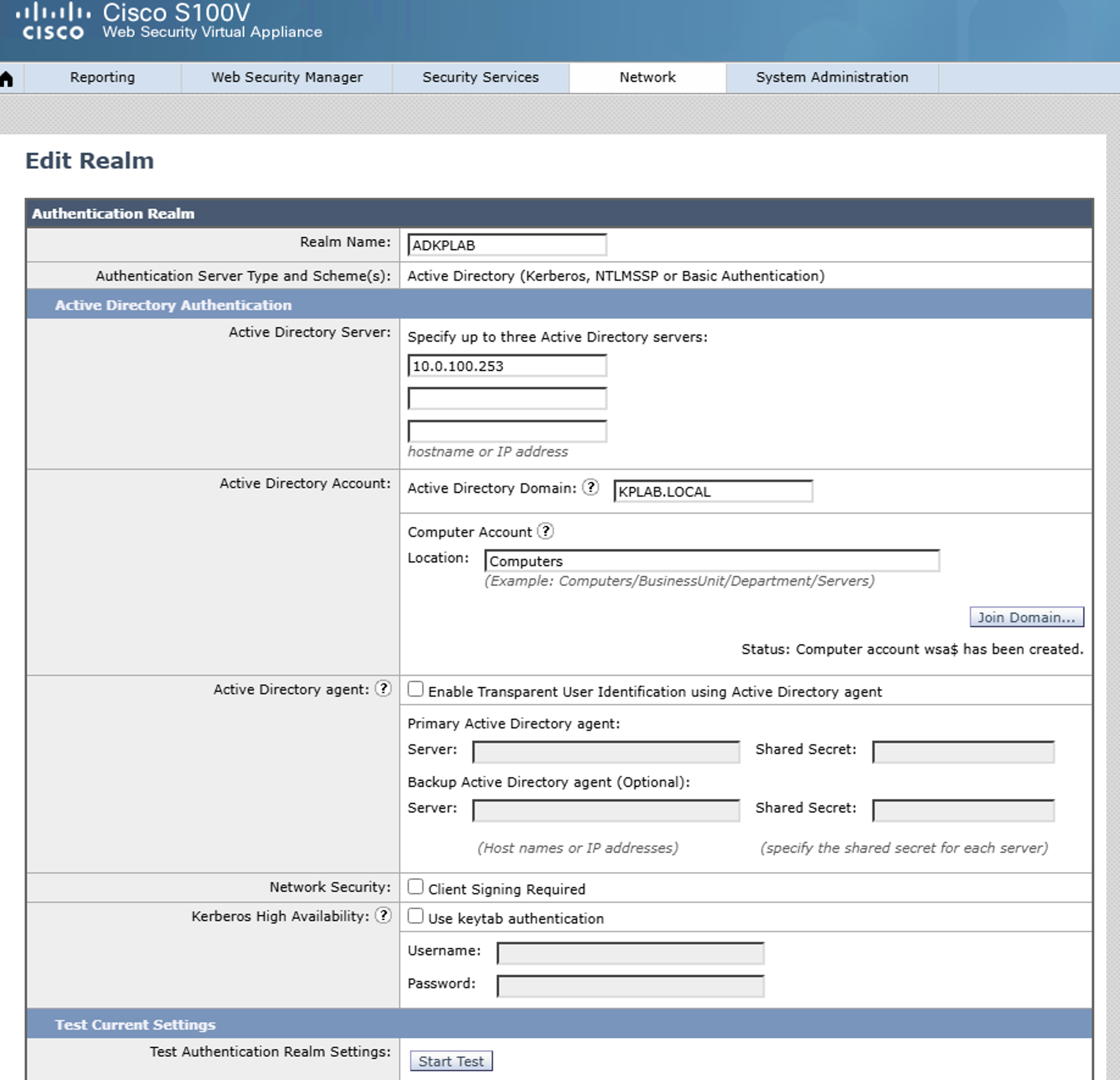
10.0.100.253 is my Lab subnet with .253 being the Active Directory server.
After successful integration, i created a new identification profile to match my AD users. This can be done through:
Web Security Manager -> Identification Profiles
I called mine ADIDPROFILE:
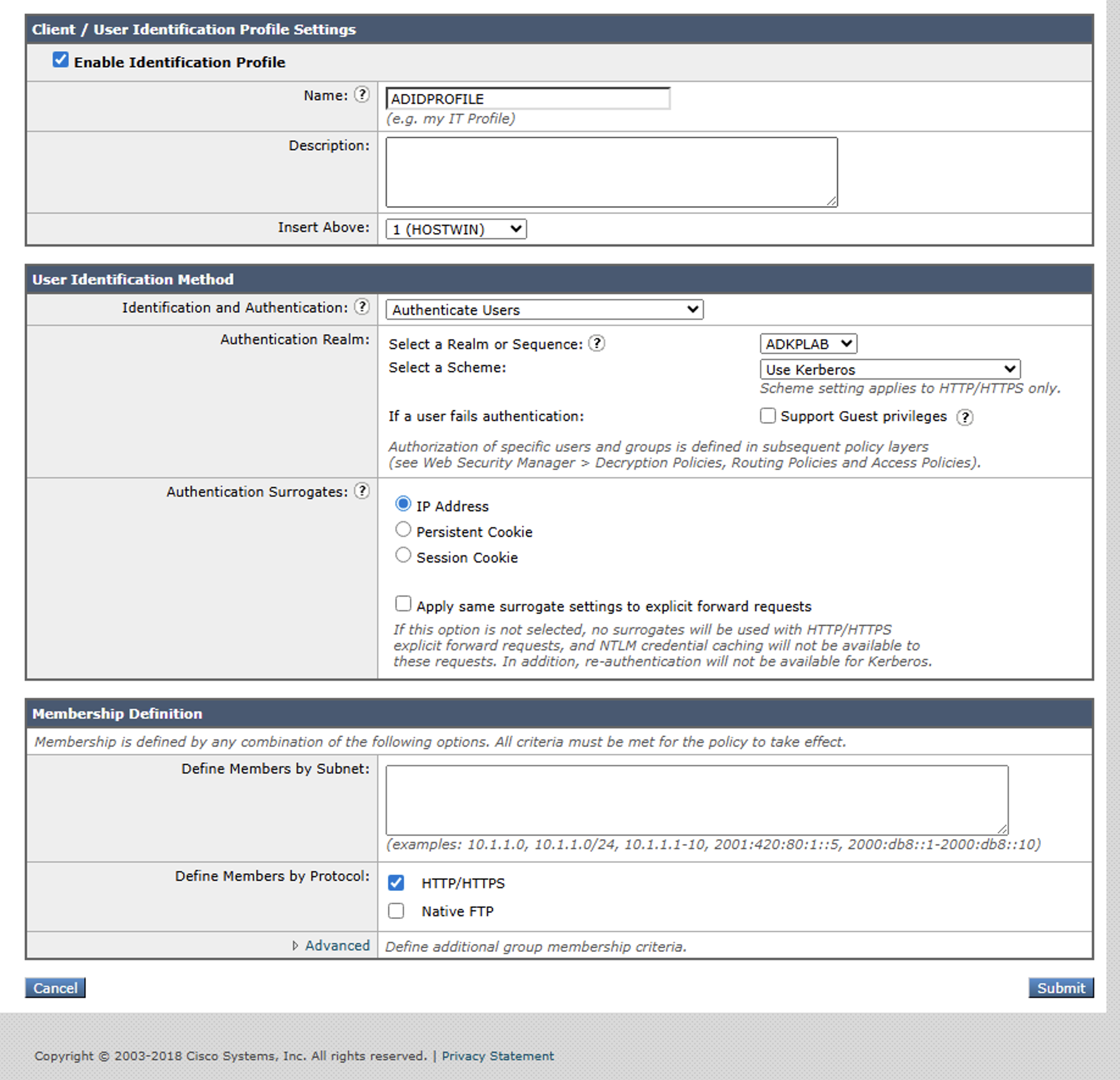
The important part is under User Identification Method to select Authenticate Users and then select your AD under “Select Real or Sequence”.
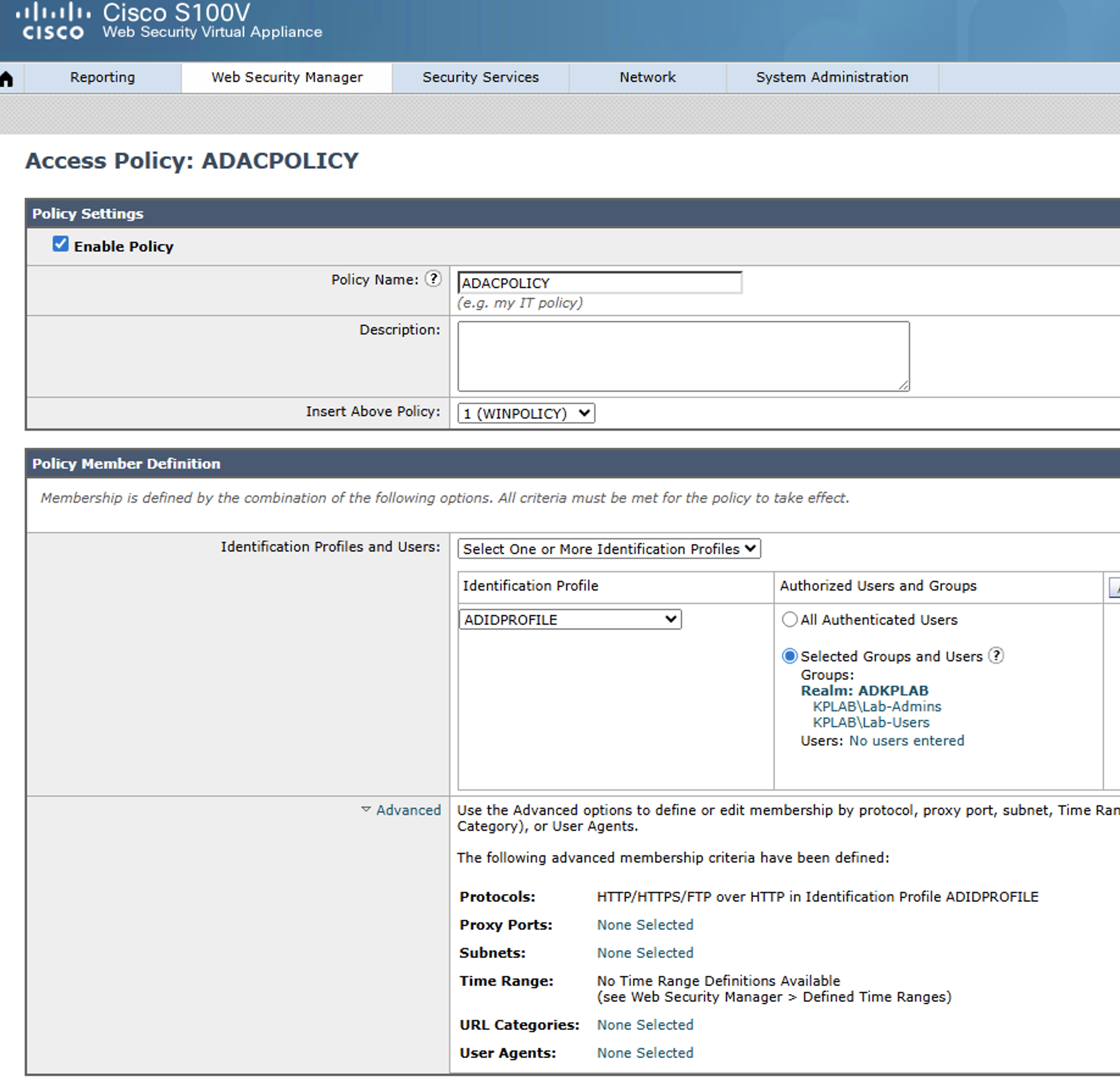
Finally i created an Access Policy, called ADACPOLICY, put it at first in the order and blocked two URL categories with it. I selected 2 groups from AD to match upon:
And thats how you integrate AD into your lab setup.
I hope this helps you in your own WSA labs.
Take Care!!
/Kim